

Ford Transit SID212EVO Case Study: From Countdown to Fixed (2026)
This Ford Transit on SID212EVO showed an AdBlue no-start countdown because a compliance check kept failing.
The fix came from proving which check failed, correcting the cause, then confirming the test passed after repair.
People search “SID212EVO Ford” when the dash flashes an AdBlue warning and the clock starts ticking.
This case study shows what happened on a Ford Transit with a live countdown, what checks mattered, and what stopped it returning.
If you’re in Stoke-on-Trent and you’ve searched AdBlue removal Stoke on Trent in a panic, this is the calmer route: diagnose first, then fix what has failed.
Don’t wait for it to hit zero.
Start here for the emergency pathway:
No-start countdown help.
If you want the full “map” page, start with:
SID212EVO AdBlue faults explained.
Vehicle and symptoms
- Vehicle: Ford Transit EcoBlue (SCR / AdBlue equipped)
- ECU platform: SID212EVO
- Complaint: “No start in X miles” countdown began after repeat AdBlue warnings
- Owner actions already tried: top-up, basic code clear, short run
The owner did what most people do.
They topped up AdBlue and hoped the dash would calm down.
On SID212EVO, a countdown usually means the ECU thinks a compliance check cannot pass.
That’s why a full tank can still show “no start in 500 miles”.

The van still drove fine.
The owner assumed it was “just a sensor” and planned a quick swap.
That route often ends with the message returning after the next drive cycle.
Codes and why guessing fails
A countdown without the exact codes is guesswork.
This Transit stored a pressure-side issue and a performance-side issue together.
That mix usually points to a chain: one fault causes another.
| Code group | What it usually means on SID212EVO | Why it matters | Next link |
|---|---|---|---|
| P20E8 (pressure) | Reductant pressure too low during prime or dosing demand | If pressure drops, dosing becomes inconsistent and other checks fail later | P20E8 guide |
| P204F (performance) | System performance falls outside expected dosing behaviour | This can sit “downstream” of pressure, injector restriction, or crystals | P204F guide |
| P20EE (efficiency) | SCR efficiency below threshold based on NOx readings | Often shows after dosing problems, exhaust leaks, or sensor drift under load | P20EE guide |
If you have multiple codes and you’re not sure where to start, use the pillar map:
SID212EVO master guide.
What happened (timeline)
This is the real pattern we see.
A small fault starts the chain.
The driver tries a top-up or a code clear.
The van feels “okay” until the ECU runs the test again and escalates.
- Day 1: AdBlue warning appears with no major drive symptoms.
- Day 2: Top-up done. Warning remains.
- Day 3: “No start in X miles” appears after normal driving.
- Day 4: Basic scan shows pressure/performance-related faults.
- Repair day: Fix carried out, then verified with the same checks that triggered the countdown.
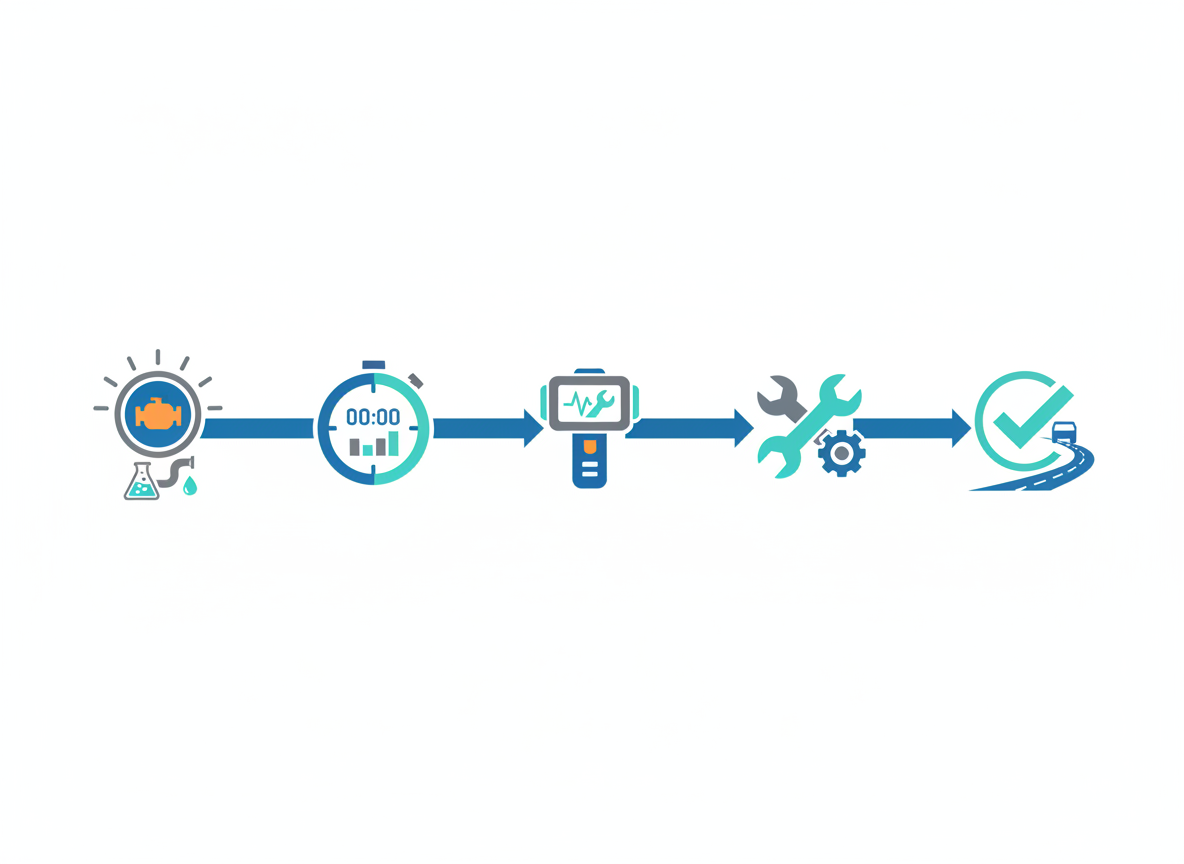
The test path we followed
This order saves time.
It starts with checks that can block the whole SCR system, then moves to faults that only show under load.
Confirm countdown status
- Record remaining miles and message wording.
- Check if start prevention has already been armed.
- Note whether the message resets after key cycle.
Use:
No-start countdown guide.
Prove pressure behaviour
- Does the system prime and hold pressure?
- Does pressure drop when dosing demand increases?
- Any signs of crystallisation around the tank neck or dosing point?
Start with:
SID212EVO P20E8.
Remove the “linked fault” triggers
- Injector restriction: crystals can restrict flow and skew performance checks.
- Line restriction: you can fit parts into a restricted path and still fail the test.
- Exhaust leaks: can distort NOx readings and trigger P20EE later.
- Wrong reset method: a basic code clear is not a compliance reset.
If you keep clearing and it returns, read:
Reset vs fix on SID212EVO.
What we fixed on this Transit
The repair targeted the root cause that stopped the pressure test passing under demand.
Once pressure behaviour stabilised, the performance faults stopped re-triggering.
The goal is always the same: make SID212EVO’s check pass again.

Restore stable reductant pressure under prime and dosing demand, deal with any restriction risk, then clear the countdown pathway once the system proved stable.
- Corrected the supply-side fault causing unstable pressure behaviour.
- Removed restriction risk so new parts did not sit in a contaminated path.
- Verified stable behaviour under demand, not just at idle.
Related guide:
SID212EVO pump failure.
- No random parts swap “because the code mentions it”.
- No chasing P20EE first when pressure faults existed.
- No relying on a cheap handheld clear to “reset” compliance.
How we knew it worked
The win is not “the light turned off for a day”.
The win is passing the same checks that triggered the countdown.
That means repeatability across drive cycles.
- No immediate re-trigger: faults do not return on the next key cycle.
- No return after a proper road test: dosing conditions no longer trigger P20E8/P204F.
- Countdown clears correctly: no “stuck countdown” that refuses to reset.
If your countdown won’t clear after topping up or repairs, use:
Countdown after refill.
If you’re in a live countdown, book diagnosis before the number hits zero.
Ford entry point:
Ford AdBlue help.
What you can copy from this case
If your Transit is on SID212EVO and you want to stop burning money, copy the structure.
It keeps each decision clean and pushes you into the right guide in the hub.
- If a countdown shows: start here:
SID212EVO no-start countdown. - If you have P20E8: follow the pressure path:
P20E8. - If P204F sits with it: understand the performance check:
P204F. - If P20EE keeps coming back: use the efficiency guide:
P20EE. - If you feel stuck: go back to the map:
SID212EVO master guide.
Are you trying to clear a message, or are you trying to make the ECU’s test pass again?
That one question stops most repeat repairs.
Case study FAQ
Usually yes until the number reaches zero. After that, many vehicles block starting.
Treat it as time-sensitive.
Use:
No-start countdown guide.
Because SID212EVO bases the countdown on failed checks, not just fluid level.
Start with:
SID212EVO master guide.
A reset can clear it briefly.
If the same check still fails, it returns.
Read:
Reset SID212EVO faults.
DPF and AdBlue faults can overlap.
Use:
SID212EVO limp mode: DPF or AdBlue.
We diagnose first, then fix what has actually failed, then confirm the system passes the checks that triggered the countdown.
Useful background:
SCR system explained
and
AdBlue fix options.